Be Alert, Be Protected
We are taking extra measures for your added security
Be alert against scams
Cases of fraud and scam are on the rise. Scammers are using SMS and email phishing disguised as delivery notifications, targeting SingPost customers by tricking them into accessing fake websites to make payments or to provide sensitive personal information.
With such phishing attempts taking the lead, SingPost is taking extra measures to protect you. If you suspect you have received such emails, calls, or SMSes, please do not respond to it or click on any links. Find out more below how to verify the authenticity of such communications.
How to identify a scam attempt?
How do you tell if an SMS is a scam attempt?
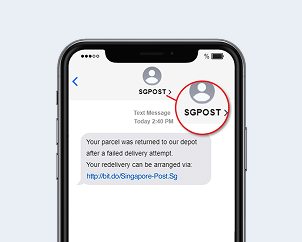
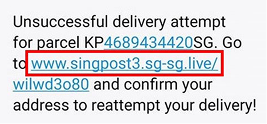
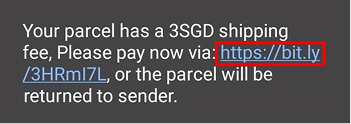
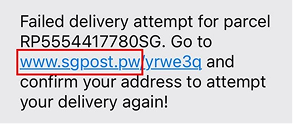
Sender tries to impersonate SingPost with variations such as ‘SGPOST’ or ‘SINGPOST’
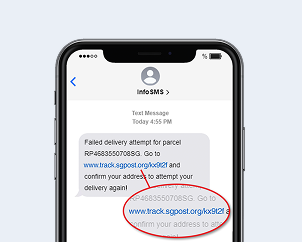
Web URLs don’t end with the official singpost.com
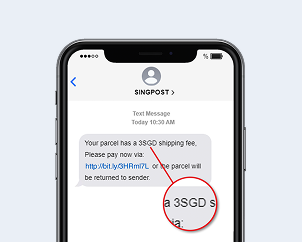
You are asked to provide your personal details and/or payment online
How do you tell if an Email is a scam attempt?
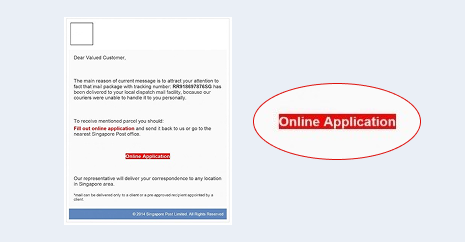
SingPost do not send out emails requesting individuals to fill out online applications
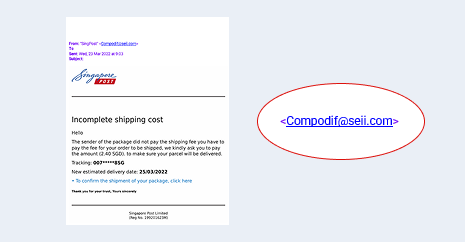
Emails sent from non-singpost.com domains
Switching from SMS to Push Notifications
SingPost Mobile App - Push Notifications
Since 28 February 2022, we have switched from using SMS alerts to pushing out notifications from the SingPost Mobile App to inform you of service updates, for added security.
The SingPost Mobile App allows you to track and manage deliveries without having to worry about landing on unsuspecting phishing sites. The mobile app features the use of mobile biometric security features, as well as in-app pin verification and OTP-required account registration as added security measures.
How to enable Push Notifications?
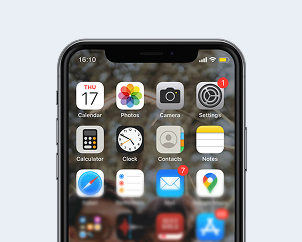
For iOS users
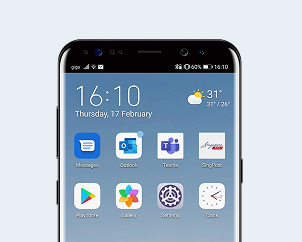
For Android users
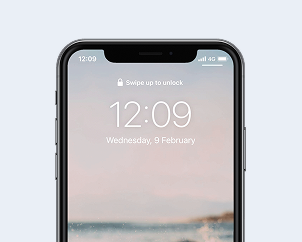
Push Notifications enabled
Emails from SingPost
Limiting the use of clickable links in emails from SingPost
Emails are a common tool used by scammers in phishing attempts. A phishing email looks like an official email and tries to trick you into visiting a fake website and providing your personal and account information. It may also ask you to call a phone number and provide account information.
As such, we will be limiting the use of clickable links in our emails to you. While we continue to include crucial links in our emails with you, please note that the links will only point to the following websites operated by SingPost:
- Singpost.com
- vPost.com
- SgLocate.com
- Ezyparcels.com
- Speedpost.com.sg
- MySam.sg
- Ezy2ship.net
The list above may change from time to time, and we will notify you when there are updates to the list. The latest list will be updated on this page.
Always verify that the link is legitimate
Scammers may continue to impersonate SingPost to trick you into clicking links and providing personal information or payment details to them. Hence, it is critical to learn how to verify that the links you click on are legitimate.
When clicking on the link, always double check the URL in the address bar of your browser. For example:

SingPost’s URL is always www.singpost.com.
- www.singpost.com
- www.singpost.com/about-singpost
- www.singpost.com/personal

SingPost’s URL should NOT look like these:
- www.singpost.com.xyz.com
- www.singpost.net
- www.singpost.org
For your added safety, we recommend that you copy the URL from the email and paste it into the browser manually. In addition, always check that the website is secure. To do so, identify the lock symbol next to the address bar.
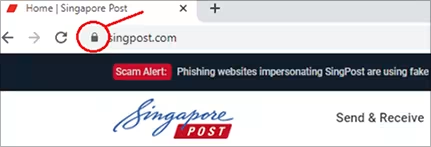
Ensure that the URL is complete and contains the domains listed above. Be sure to look out for slight deviations in the domain name, such as 0 (zero) in place of the letter O, or use of the lowercase L for I.
For instance: